Posts Tagged ‘playstation portable’
PSP Emulation on PS4/PS5 in 2025

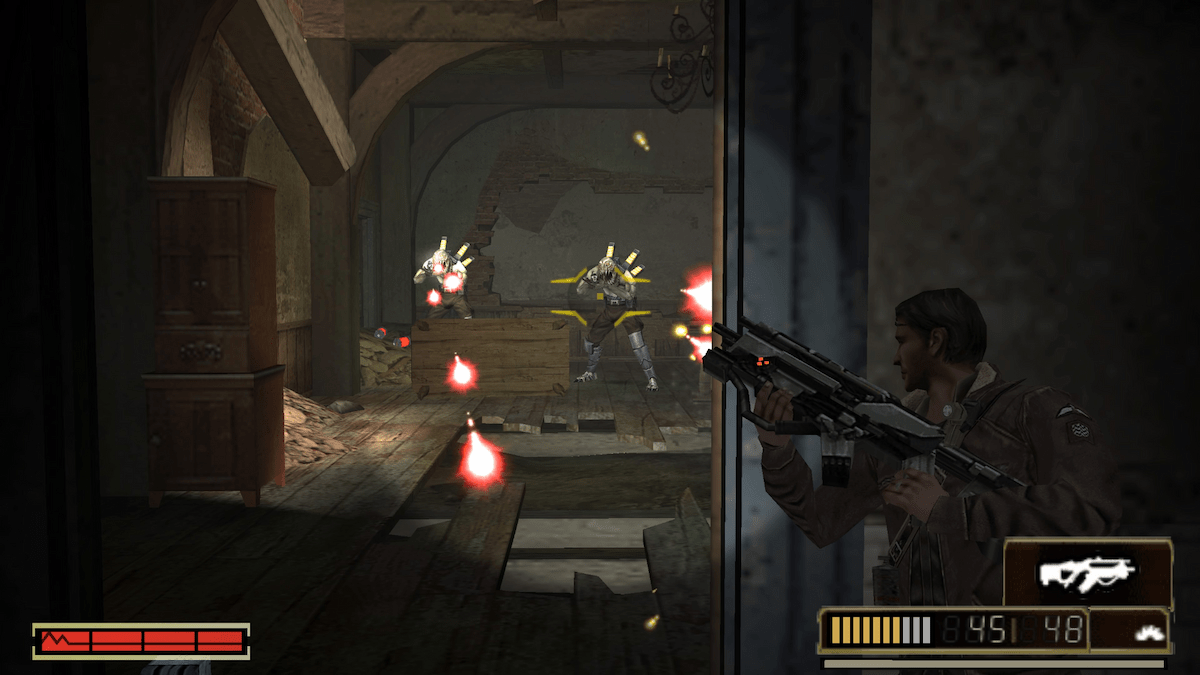
Within the last year, I’ve noticed a slew of PSP titles now available on the PS4 and PS5 thanks to the retro focus of the PS+ classics catalog. What was intended to entice me to join the platinum tier of Sony’s subscription service ended up being a gold mine of free downloads from the many digital purchases I’ve made in the past. I recently booted up a handful of these titles to give them a spin and figured I’d share my findings. After doing some searches for information online, there’s a lot of misinformation and outdated posts so I figured I’d make this breakdown of the current state PS4/PS5 emulator and compare it to PC’s alternative and, of course, the real thing. Let me be clear that I’m only speaking of PSP games and emulation, not the PS1 and PS2 games that are also in the classics catalog and also have emulators on the PS4/PS5. For this analysis, I focused on 3 specific releases: Daxter, Killzone Liberation, and Resistance Retribution.
PSP on PS4/PS5
On both the PS4 and PS5 these games render at 1920×1440, upscaling from the native PSP resolution of 480×272, and a 4x integer scale puts the resolution at 1920×1088. I didn’t see any cropping so it’s likely that the pixels aren’t quite 1:1 on the scaler, but honestly I didn’t find anything to look too off or stretched. If you play on a vanilla PS4, the game will downscale to 1080p, and on PS4 Pro, PS5, and PS5 Pro the image can also output upscaled to 1440p or 2160p (4K), depending on your set resolution. You can also hit the Options button to enter the emulator menu and navigate to settings for further customization. There you will find an underscan feature that allows you to crop the image to different scaling values, adding black borders. I didn’t love that the values were seemingly arbitrary numbers like “+1” and “+2,” but the effect is clearly seen as you change settings. Visuals will look modernized by default and overall I find that it creates a clean image that looks preferable when putting these titles on much higher resolutions. If you prefer, the settings also have 3 additional visual presets: modern, classic arcade, and modern arcade. Frankly, I couldn’t tell much of a difference with each of the presets other than default aside from tweaking brightness and/or softening the image in some way. None of these looked ideal to my eyes and there is notably no scanline feature, so my recommendation is to leave the settings to default for both the underscan and visual presets. Of note, any full motion video (FMV) cutscenes will remain in original resolution and simply be upscaled, so expect it to be blurry and chock full of artifacts. This is the nature of the beast since those are pre-rendered and can’t be rendered by the emulator.
 Gaming History 101