Archive for the ‘Blog’ Category
Tech: Comprehensive Capture Device Review
First and foremost, let me preface by saying that this entire post is in no way promotional. While I may link to a slew of items – using Amazon because it’s the only location to find all of these items, but many can be found elsewhere and sometimes at better prices – there is nothing in it for myself of Gaming History 101. We did not receive any of these items, all were purchased by the reviewer (ie: me, Fred Rojas) and none of the links here involve any kickback for purchasing through them as I’m told you can do with Amazon and of course, Gaming History 101 remains completely ad free. I am writing this piece because when I looked for buying advice online it was nothing but paid promotion, a few hardware reviews that are years old and speak nothing to the current state of these capture devices, and of course none of them had accurate information when it came to capturing retro devices. In a world where we want screenshots, streaming, video capture, and just to have fun with the prized possessions in our collection and share it with the world, capture devices are a great way to do so. I have also been told that capturing and streaming emulation, especially if you generate ad revenue (we are ad-free on GH101 as well as our YouTube channel), can be illegal and get your videos taken down so use caution if going that route. We only capture actual consoles with actual game carts/discs, and use flash carts when necessary for items like homebrew. Therefore, here is the most comprehensive review I can give with about as much geeky tech background as I can provide.
As stated in the intro, I wanted a device where I could both capture retro and modern consoles that also supported streaming, commentary, and a myriad of content creation options. I should also point out that my plans were, and currently consist, of importing almost all gameplay into Sony Platinum Video Suite 13 (formerly Vegas) for editing and rendering, so that does play a part in my opinions. I tested these devices on three computers, all of which I will provide basic spec for you now. In reviews, these will be labeled as Computers 1, 2, or 3.
Talking Ports: Ghouls’N Ghosts on the Master System
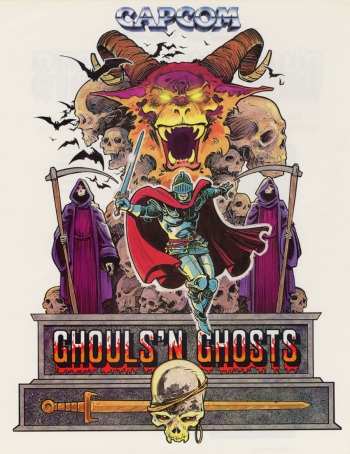
I really wanted to write a article on this port but rather than doing an actual review I thought it may be more interesting just to discuss what this game does differently from the arcade version it is based on.
Several ports of Ghouls’N Ghosts came out from the microcomputers like the ZX Spectrum all the way to the consoles like the Sega Mega Drive (Genesis). For the time it was practically released on everything except Nintendo consoles – yep, look it up, this particular game has never graced a Nintendo console. One port that certainly deserved recognition is the attempt made on the Sega Master System.
My PSP Friend: A handheld Fan’s Piece
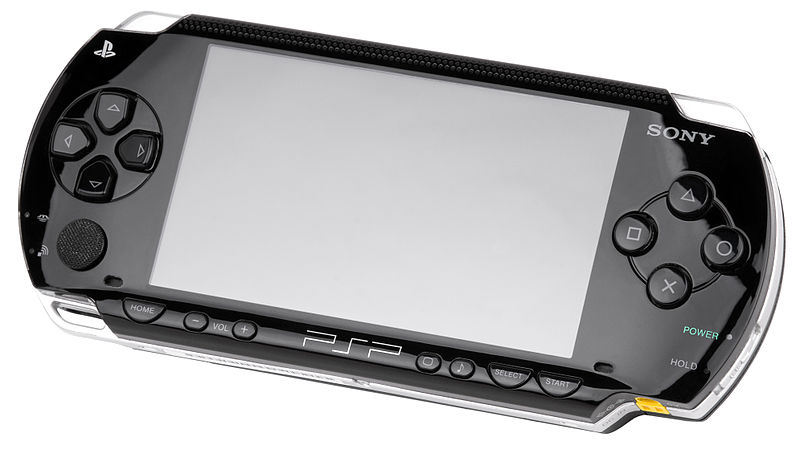
The PSP, the portable console that really failed to catch a audience in the west. In this article I come out and defend the poor console which seems to receive a surprising amount of hate in the gaming community. Ok, so the little analogue nub is a bit irritating and the battery life is a bit naff and there are some questionable models of the console that are just flat out awful.
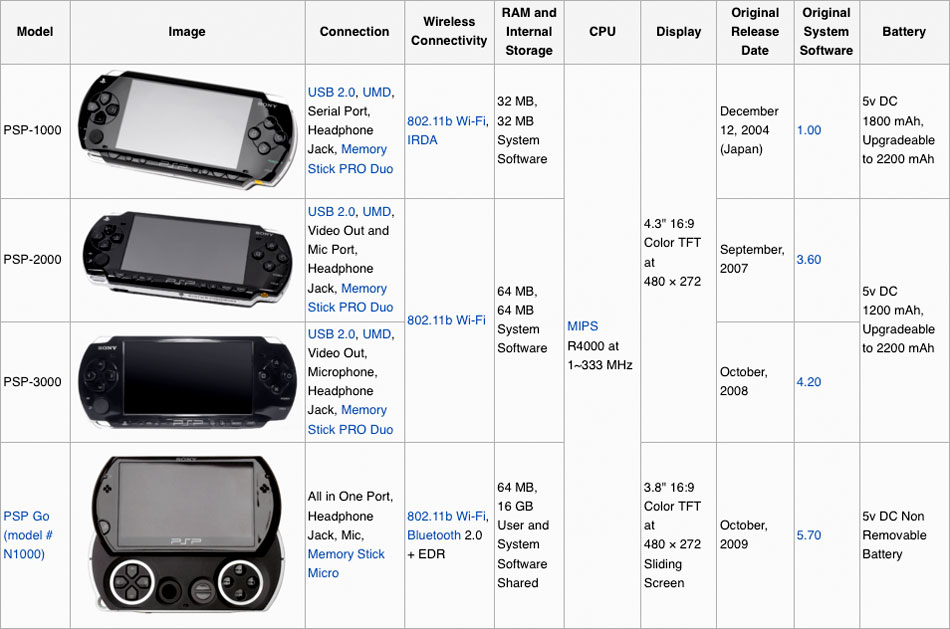 A little background on my experience with the console. I avoided this system like some handheld plague mostly due to the horrific world of mouth the console received from my brother who owed the system as well as the gaming media itself. Its not hard to find some entertaining YouTube video that pokes fun at the attempts Sony made to market the system and how it was destroyed by the Nintendo DS in sales. Anyway, one fateful day I was visiting my parents and on clearing some junk from my old bedroom I came across my brothers PSP model 1000 which was so unloved it was shoved behind the radiator and just left there. Since by this stage in my life I was doing incredibly long commutes on the train on a daily basis which would take up to five hours of my day I was desperate to fill the void of boredom. iOS games at this stage were starting to be a big thing but they just didn’t do it for it. Try playing Bejeweled for 5 hours, you will have the most creepy nightmares you never thought possible, or maybe that’s just me. So I refurbished the poor PSP, gave it a new battery, brought a large memory card off ebay at a incredibly cheap price and then proceeded to load the system with PSone nostalgia. I owned a lot of games already as I owned a PS3 by this point. From there the rest is history, my train commutes suddenly flew by as I listened to podcasts and played PSP. Some time later I managed to acquire a red PSP model 3000 which is lighter and just runs better. I also started to enjoy games for the console itself as opposed to just sticking to the oldies. Despite owning a PS Vita I still find myself reaching for the console everytime I go away, have work trips or just want to play on the sofa while my partner watches something on telly. So yeah I dig the PSP.
Even with more modern handhelds now on the market like IOS and android mobiles, the 3DS and even PSVita, let’s see if I can convince you that the PSP is a console still worth adding to your retro collection.
Completing the Cycle on Third Party Exclusives
 Recently I’ve seen a disturbing trend with contemporary console gamers, which is the hatred of console exclusives. I don’t get this. I get that there’s almost no reason to do so because from a business standpoint the publisher wants a game as available as possible, the developer definitely wants as many gamers to get their hands on the game and enjoy the fruits of its labors, and gamers definitely want everything available to them. I also know that most gamers hate to hear about all the development studios that close on an annual basis and if the console exclusivity amounts mitigate or remove the risk of releasing a new game, I can admit I would probably “sell out” too. There are also benefits to exclusivity that can include getting the highest quality game for that console because all resources will be dedicated to that single piece of hardware and lets not forget the fact that in cases like Bayonetta 2, it was the only way certain games would see the light of day. Without third party exclusives there’s little that differentiates these consoles from one another – don’t get into that stupid “who has more ‘p’s debate” either, I can’t stand it and almost no one can visually see the difference. If we get more third party console exclusives we may also get more games coming out because development studios don’t have to worry about supporting each and every version that releases and can move onto the next big project without worrying about those first month sales.
 There was a time when third party exclusives were an ongoing way of life. My cousin wanted to play Mortal Kombat with blood just as much as I wanted to play Super Mario World, but the reality was we just had to deal with the hardware we had. Aladdin was different on the Genesis and the SNES and to this day can spark an unwinnable debate that will go for hours. In the end the purpose for the argument, and most likely what side you are on, has to do with which one you played growing up. It all makes business sense when you think about it. Microsoft wants Rise of the Tomb Raider so that in fall 2015 they can compete with Uncharted 4 just as Sony hedges its bets on the fighter community with Street Fighter V while Microsoft tries to close its grip on first person shooters with Titanfall. It keeps things interesting coming off of the nearly identical worlds that were the late Xbox 360 and Playstation 3 days. Lets face it, those two consoles were nearly identical in the end, with your preference coming down to trivial facts like which one still worked or which one was hooked up to your main television. I don’t like that, I want differentiation. Give me exclusive content, give me exclusive games, give me sides to pick when deciding which is best. This is exclusivity.
Sound’s Good: Your Video Game Audio Buying Guide

This week I decided to take on another technical escapade and look into the sound options for video games. This requires you to know quite a bit about the concept of analog sound vs digital sound, then compressed audio vs. uncompressed, stereo vs. surround, and all the wonderful tidbits mixed in-between. Just to make things more complicated, the Internet forums are chock full of people who have no idea what they are talking about and will pollute decent message boards with misinformation only to be ignored by the elite knowledgeable on that board, thus making anyone who does a search end up on a page where the misinformation is the only answer in town. Additionally companies like Dolby, DTS, and a whole group of fun little logos that can appear as stickers on your receiver’s box, case, or display fill you with the joy and satisfaction that what you see is what you are hearing and that it’s better. Well guess what, it’s not. In fact, probably the best surround sound you can possibly get is LPCM (or Linear PCM), which is uncompressed audio that has been around since before CDs and still stands as the best surround sound format – albeit at the cost of TONS of storage space that most consumer products refuse to utilize (remember that TitanFall’s uncompressed audio weighed in around 40 GBs). With all the mess and bull that exists, I figured why not enlighten my fine readers with a lesson and best practices so that you can easily determine the sound options for your consoles and get them up and running and sounding great.
Please Note: As previously mentioned, there’s tons of misinformation on the web about sound profiles. For that reason I may be more restrictive about comments that I know are incorrect and whether you choose to disregard this post for that reason is up to you. Additionally sound, like visuals, is a subjective medium and therefore it won’t be the same for everyone. Some swear 1080i looks better than 720p and visa versa, the same can be said for compressed DTS 5.1 and uncompressed DTS-HD Master Audio. Despite the research and blatant facts suggesting otherwise, pick what helps you sleep at night, this is merely a guide of options.
What’s Old Is New
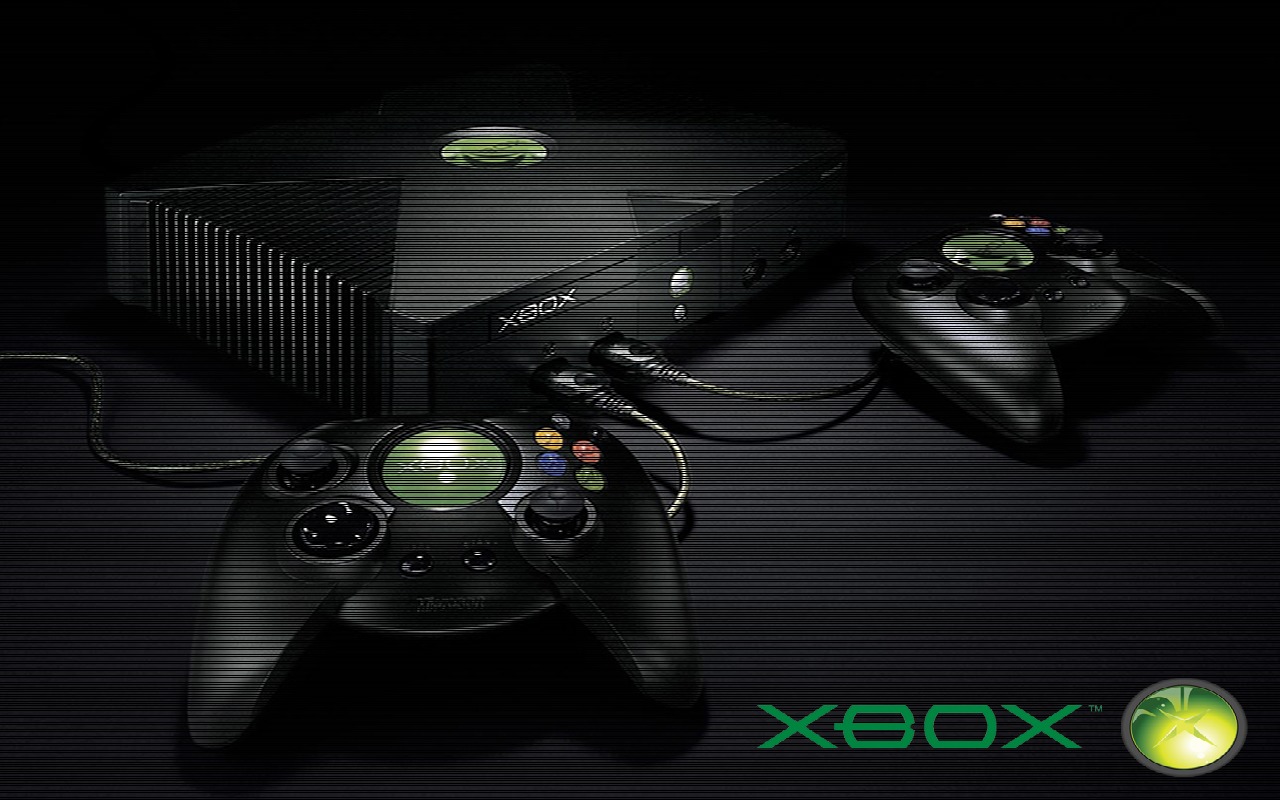 I’m just a curious soul when it comes to software or electronics, and I’ve always been that way. Now ask me to turn off the water in my house, change a window screen, or heaven forbid lay tile and I’m out. For some reason those decisions and actions, while much more predictable than electronics and software, have permanent consequences and thus I leave them to professionals. On the tech front it’s mostly just money, and I’ve wasted plenty of that to go into most projects all “gung-ho!” On the flip side I try to capture my memories/nostalgia when it comes to gaming so I’ve done such insane things as bring a Pit Fighter cabinet into my house to play MAME (arcade) titles on, lugged a 300 lb 38″ RCA HD picture tube display for classic consoles and light gun games (a personal favorite), and I have a machine that literally boots into DOSbox and then Windows ’95 (it’s an old XP machine) just to enjoy a handful of games like Jurassic Park: Tresspasser and hopefully soon Ripper. I think that’s why capturing gameplay and making more entertaining videos is so fascinating but also a challenge to me. Last week I discussed how to upgrade your visuals for YouTube export but the clear omission was how to do it without losing that classic feel. I don’t want to play my NES on my LED display, I want it on the old tube with composite video because it looks and acts like I remember, but I also don’t want it to look like the color bleeding blurry mess I see when I export it to YouTube either. So now I’m trying to do the opposite of what I used to: get all of my consoles to export video – both for capture and gameplay – in the best resolution possible without buying the $500 framemeister (that was in last week’s post linked above). This does mean that certain consoles, namely the PS2, Xbox, and Wii (yes, it was pretty much that same gen in terms of visual and output), are un-tethered from my big old tube TV and migrated into the main room for the LED television on account of their 480p/720p capabilities. Along with that came the hunting of component cables, HD AV packs (shame on you Microsoft, the Xbox could output 720p and play DVDs natively but you chose to charge accessories piece meal…just like today), and even a HDMI conversion dongle for the Wii! It wasn’t all that cheap, probably $60 in total for all the pieces, but the results are quite impressive. I had no idea that X-Men Legends or Hulk: Ultimate Destruction could look so good in 720p on the Xbox or that Gradius V really does look much sharper in component even if it’s still a 480i signal on PS2, and I cannot get over how Super Mario Galaxy 2 dazzles on Wii via 720p HDMI upscaler dongle (despite me having still not played that game even though I’ve booted it up dozens of times for visual comparisons). I’m also upgrading my SNES, N64, Saturn, and PS1 for S-Video output to get slightly better captures in 480p on my SD captures, which was like $20 on Amazon for random third-party cables (not as necessary to get high-end when not passing HD through an analog source like component cables on the PS3, for example). This is probably nothing new to many of you out there, but HDTVs were not cheap and these consoles were just dipping their toes into the water when I was a new graduate and didn’t have time or money to figure out how to make an Xbox look fancy. I always knew the option existed, but I was more interested in surround sound back in the early 2000s and never much into graphics. Oh and before you mention it, I’ve had a VGA box for my Dreamcast almost a decade, but stupidly didn’t capture in anything but composite as of late so I’ve truly been cheating myself.
Neo Retro: Chief’s Big Day
 This morning I got up and instead of immediately heading to work I dropped by the old big box retailer to pick up a title I had been highly anticipating: Halo: The Master Chief Collection. Here on the left you can see a photo of me with the item, big dumb smile in tow. It’s kinda surreal picking up a collection of games that you have already played. None of that wonder of what the mechanics, game design, or story remain because you’ve experienced it all before, and yet I find myself just as excited as I was the day I first picked up a copy of Halo or the three sequels that share space on the disc. If you’re not a Halo fan then you probably won’t pick this up, and I expect that there will be either a slew of negative talk or more likely no talk at all regarding this package, but mark my words this is going to be a popular release. Whether you first started playing Halo at college LAN parties, shared one of the earliest experiences on Xbox Live, or just took Master Chief for a spin or two during the Halo 3 Beta zeitgeist that existed early in the 360’s life cycle (and you can hear about many more on tonight’s podcast), there’s no denying that those who have owned Microsoft consoles can’t help but notice Halo. That’s when it got me thinking about the state of re-releases these days – especially on this generation of consoles – and how as hard as I try to avoid them, I just can’t help buying into them (literally).
The Master Chief Collection isn’t the only game to make an updated appearance this year. Tomb Raider received its re-release early into the year, followed by Fable Anniversary giving that game an update no one asked for, Resident Evil 4 got a third revision on the PC bringing it to 1080p, Final Fantasy X/X-2 received face lifts, Metro 2033 and Last Light received semi-controversial reduxes, The Last of Us came to PS4 after only having been on retail for just over a year, Sleeping Dogs got the Square “definitive” treatment in October, and we can expect GTA V next week. This doesn’t even touch the slew of portable and downloadable games that were “HD-ified” and who knows how many ports I’m not considering to be actual re-releases to the PC, Xbox One, and PS4. Hell, I even dropped a dozen hours re-playing Bayonetta on Wii U (review Thursday) because the sequel came with it. It’s kinda hard to argue that this whole retro thing may have been the correct route to go because it seems clear that whether audiences want it or not, what’s on store shelves is at least partially games you already know. The big question is whether or not this is a good thing.
Figuring Out How Retro Game Videos Can Look So Good
So recently I’ve been looking at the current YouTube videos we create for the site as well as some of the photos I capture from those videos. You see due to authenticity of how it feels to play the game – not to mention my personal affinity towards doing too much within a computer for console gaming – it’s not very viable for me to emulate. In truth there’s little concern for the legal aspect or even the technological aspect, it’s just that playing an emulated game on an HDTV comes with it compatibility issues, screen tearing, and lets not forget the overwhelming feeling that no matter what controller you use it doesn’t feel the same as plugging that actual controller into that actual console. As a result, most of the gameplay videos I see out there focus on either how good it looks or how good it plays, but rarely does it look at both. There’s quite a few reasons for that, I discovered, and for my weekend project I set out to figure out how one gets these razor sharp awesome videos when compared to my relatively blurry ones.
 The reason for this is a few things, but they all have to deal with the fact that Standard Definition TVs (SDTV) are very different than High Definition TVs (HDTV) and none of that matters until you try to adapt retro consoles (SDTV) to YouTube (HDTV). It may look fine on my screen but it looks like crap when you pull that video up on your TV. How do you fix that? Well it depends on the console and your ultimate goal. Video game systems had an output in either 240p (320×240 progressive), 480i (640×480 interlaced), 480p (640×480 progressive), 720p (1320×1080 progressive), 1080i (1920×1080 interlaced), and 1080p (1920×1080 progressive). For the most part, anything before the PS2/Xbox/Gamecube was in 240p/480i (more on that in a sec), PS2/Xbox/Gamecube was mostly 480p (with some potential 720p for the Xbox and lack of 480p for Gamecube), and then the Wii was 480p with the 360/PS3 being either 720p/1080i/1080p. In terms of a YouTube video or contemporary HDTVs, you want to immediately omit the interlaced resolutions because those only illuminate half of the image at once and blink back and forth, so they create scanlines (which HDTV signals and Youtube do not like or display) and make a choppy effect when things move. While that’s no problem for the modern consoles because you can just omit 1080i and only use 720p or 1080p, you may notice that’s a big problem for retro consoles. 240p is available, but often not right out of the gate (you ever see a 240p/RGB output on a retro console?) and most of us (in the US) hooked our old school consoles up to our televisions with the lovely composite cable (yellow/red/white). This made a 480i image out of a 240p image, which means it not only made the image look poor and blurry because it increased the resolution without increasing the pixel count, but it also removed the progressive scan and thus made scanlines and choppiness. This is the key problem to 99 percent of the game capturing I do.
Vos’ Corner: Toad!
Greetings Everyone! We wanted to share a great forum post made by reader and occasional podcast guest Vos5. He dedicated a very thorough visual history of Mario’s rarely beloved sidekick Toad.
GH101 is proud to present: Toad!
They first appeared in Super Mario Bros. with their infamous line, “Thank you Mario! But our princess is in another castle!” They played the same role in the Japanese Super Mario Bros. 2, known as The Lost Levels in the U.S.

In the American Super Mario Bros. 2, Toad was playable for the first time, where he was the fastest of all the characters! However, he didn’t jump as well as the others.

Super Mario Bros. 3, is where Toad houses are introduced and Toad gives you items and extra lives.

I Love My MAME Cab
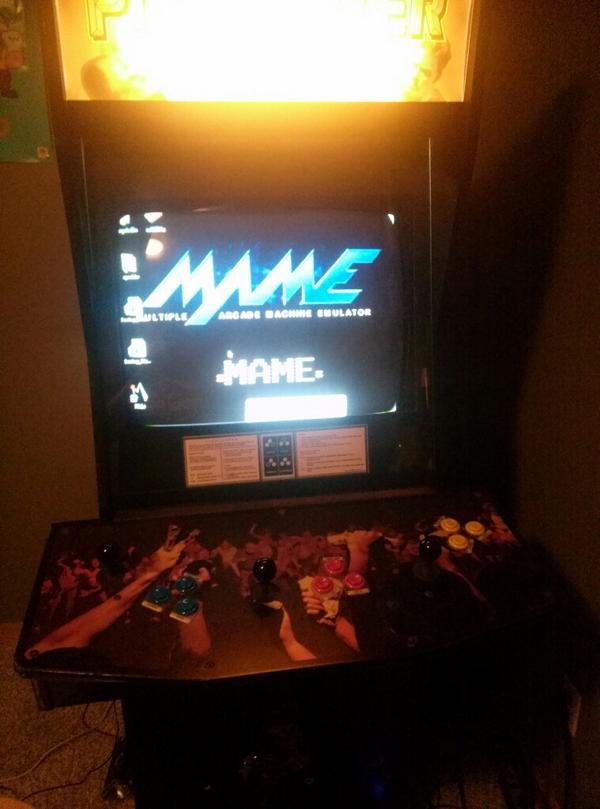 Man do I love my MAME cab. In the culture of emulation, I’m not too keen on the concept. I understand that emulation is necessary and that it has been an essential tool in not only archiving these great works of the past but also in allowing me to play import and fan translated games I otherwise never would have experienced. Still, I think that more often than not emulation gives way to piracy. If I want to go get Super Mario Bros 3 on NES, I’ve got a slew of choices: I can buy the original hardware and game, I can emulate illegally, or I can purchase legal emulated versions (Virtual Console). In most of those scenarios I opt to purchase the tangible hardware/game – but this is not always the case as I have never purchased a Turbografx-16 CD console to play the handful of favorites like Rondo of Blood and instead “settled” for emulated, legal, Virtual Console and PSN versions. On the arcade front the story is a bit different. Not only do I have to pony up large sums of money for the hardware/software – in this case being a working cabinet and PCB board – but I also have to make space, transportation arrangements, power consumption, safety, and in many cases repairs. It’s one thing to buy a PS1 game from Kentucky, have it shipped to you, resurface it if necessary, and then enjoy it. For a good working Salamander cab I may have to pay $500-$1,000 upfront on eBay, drive to Kentucky with a large truck, move the whole thing over 1,000 miles without damaging it and paying for gas/transport, move it into my house, and then most likely degauss a monitor, replace some wires, re-solder some button connections, and if I’m lucky I can play that single game for about 30 minutes before it’s time for my A.D.D. brain to move onto the next new thing.
 Gaming History 101